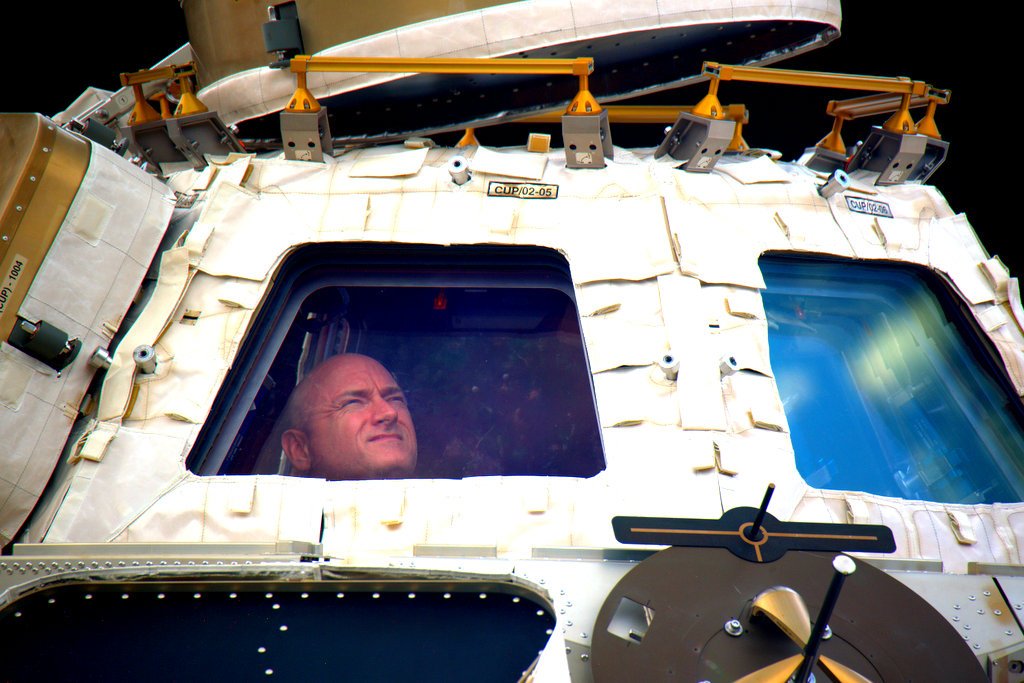
Visual Thinking Strategies

I didn’t realize there’s a whole territory called Visual Thinking Strategies or VTS!

Indeed, an image (often something we saw online) becomes a discussion trigger. You’ve probably indulged in VTS by asking people to comment on a photo. It’s something we use now and then in a classroom, to set up a topic, or draw students into a subject that might otherwise lack context.

I ran into VTS because of series in the New York Times called “What’s going on in this picture?” on Mondays. Readers comment and try to guess what was happening, and on Friday the paper reveals what it was about.

So here’s a bit of VTS for you:

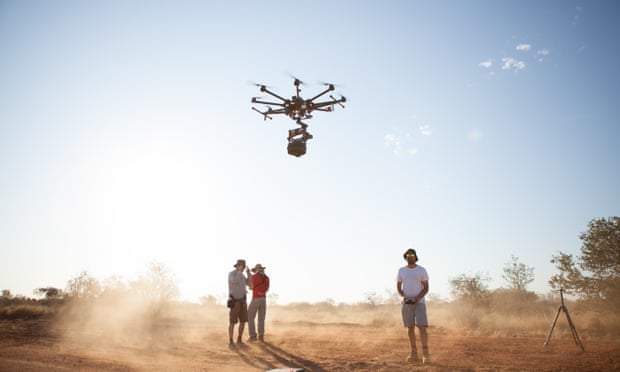
What do you think is going on in this picture?

An unnamed company secretly testing drone delivery? Engineering students working on the next generation of medical drones. Or something else entirely?

You would be surprised at the real context!

If children ‘published’ books, would there be a market?

Today, ‘to publish’ means something else entirely.  It used to be tied to the notion of a ‘publication’ – which often meant material that got edited, bound and distributed by certain entities.

So should children publish books? 

I want put this question to those of you professional communicators, and also in education:

  • Should the definition of children’s books also include children-to-children books?
  • Could book stores get into the business of encouraging children to become storytellers, designers and illustrators?

Sure, there is a good self-publishing model out there at places such as Blurb, Lulu, etc. But (a) It is hardly affordable for most children (b) The POD model presupposes the content is already ready to go to press.

  • Are there places (such as ‘Maker Spaces’) for kids to polish their craft, and go all the way to putting a book on a shelf?

Many will say that the market is not significant enough to give it serious thought. But is that good enough reason to not consider it?

I pose this question because of a suggestion raised by one of my 3rd grade classes today. They wanted to know if they could publish their work in a book form. I was shocked at the question. This after all, was from 9 and 10 year olds!

I have pat answers for questions like this. Such as: “It depends what kind of readers you are thinking about” – an opening to a discussion about eBooks, online publishing, Wikis and such.

But this is a serious question that should not be confined to school-made solutions. Any suggestions?

Tech in Schools – Surprising evidence that ‘less is more’

Given the big push toward 1:1 computing, (a buzzword in education that refers to giving every student a device) there is some evidence to show that too much tech in schools could be harmful. See: Tech in Schools: Less is More.

‘Harmful’ is the operative word in the OECD (The Organization for Economic Cooperation and Development) report.

There are several layers of findings I won’t bore you with. But in general, reading, math and science among students in countries with heavy investments in computers, have shown no appreciable gains.

This chart shows how reading drops as share of computers increases.

I know for a fact what happens to reading, when passages have to be read on a screen. It appears to turn off students, some of whom otherwise may be classified as heavy readers. The OECD Report in fact says that “even specific online reading skills do not benefit from high levels of computer use at school.”

You may think this is odd for me to comment on such a study, being a computer and technology teacher. Well, I don’t drink the Kool-Aid. I try to make sure computers are part of a larger series of learning experiences, to get students think, create, and communicate. I also follow the standards outlined by ISTE, the International Society for Technology in Education, which focuses on real world issues.

But this study is sobering, even if you are not inclined to believe it. What exactly do we do when we place a device in front of our children? Are we teaching them to consume content with no fixed end goal?

Earth to Scott Kelly: Welcome home!

Watching Scott Kelly, and his ongoing work on the International Space Station for the past year has been like following a live-action science-and-technology class.

Many of the NASA-related activities in our school this past year (talking with an engineer at JPL, and the crew of a Mars mission simulation etc) have directly or indirectly addressed to the big question “What will it be like to live on Mars?” Astro-twins Scott and Mark Kelly, have become the human faces of astronomy, aerospace, and space exploration.

Students keep asking questions such as:

What kind of ‘work’ do engineers and astronauts do, besides floating around doing ‘space gardening’ and 3D mapping? Some amazing work is described here. We watched some incredible views taken by GoPro cameras aboard the ISS, including one involving inserting the GoPro into a water bubble.

On the fun side, I’ve even used Scott’s Time Magazine cover photo to teach a class on Photoshop (replacing Kelly with a 6th grade teacher who’s got a similar look.)

Here’s hoping we see more of Kelly brothers, and get to hear from Scott. Perhaps in a future Mars Day!

He should be back on earth tonight – NASA says touchdown is scheduled for 11:27 pm Eastern Time. As he put it in 140 characters before he left the ISS, “the journey isn’t over.”

Continuing Digital Learning Day – Don Wilde on Arduino and micro-controllers

DonWilde_tnToday Don Wilde, former Intel engineer, and FLL robotics coach/judge, was here to show our students a different side of programming – the Arduino board.

Don talked about how programming has been invading almost every part of our lives, from cars (which house dozens of computers), and houses to businesses, and libraries. (This session was fittingly held in the library – and I mentioned how students today self-check in and check out their books with a scanner and software).

He also stressed the point of how engineers are needed to design robots, and for online stores, casinos and satellites to function. “Highly-paid work today, whether it is in entertainment or communication needs engineers and programmers, and you could be one of them,” he said.

Don then demonstrated one of the devices he had put together for this, using a off-the-shelf Arduino Uno board. He connected a series of light, touch and sound sensors to show how this plug-and-play device worked.


Board_DLDay2016

By way of comparison, he talked about the Lego NXT robot, itself a micro-controller, with which many students in both 5th and 6th grades are familiar. We have had a robotics program in the school for the past 6 years. Thanks to Don, I have become interested in introducing Arduino to my class. Perhaps someday, we will have programming as a regular class, rather than an add-on to the curriculum!

Micro-controllers_DLDay2016


When is too early to start building apps?

avatar_new_resizedToday, for Digital Learning Day, I’m inviting an App developer, Chris Cardinal, of Synapse Studios, to introduce our 5th and 6th grade students to apps.This is going to be an eye-opener, since I get a lot of questions about coding and app building. None of us are programmers, but I have channeled self-paced lessons through Code.org and Khan Academy before. This time, having a live app class will make a huge difference.

Tomorrow  we will have Don Wilde to introduce students to Arduino! It appears it’s never too early for students to dip their hands into computer science, and understanding programming. Thank you Chris and Don for taking time to be here at Salt River Elementary.DLDay 2016

Wed 17 Feb, 2016   – Chris Cardinal, Synapse Studios

1:00 – 1:40 pm  – 6th grades  “Creating Apps for a Digital World”                       

1:45 – 2:25 pm  – 5th Grades  “Creating Apps for a Digital World”


Thurs 18 Feb, 2016  – Don Wilde, former Intel ProgrammerDonW

1:00 – 1:40 pm  – 6th Grades  “Programming Beyond  Lego – Arduino and Beyond ”  

1:45 – 2:25 pm  – 5th Grades  “Programming Beyond  Lego – Arduino and Beyond ”  

    
synapse_studios_logo

Teaching them to Code, one block at a time

My colleague and robotics coach, Donna Horn gave me a Wall Street Journal article on Coding that’s worth sharing. It’s about why coding shouldn’t be so intimidating (at least to us teachers who didn’t learn to code).

Titled “We want our children to code, even if we can’t.” it argues why this is a skill we need to introduce early and often. Reading. Writing, and Coding…The timing of the article is not accidental.

February is when Coding fills the news, since Digital Learning Day is on Feb 17th. This year we have plenty to pick from –the usual powerhouses Code.Org and Khan Academy. There’s also Scratch, and other visual programming tools. Plus, there’s Mindstorms, the visual programming language we use in robotics.

Grant Smith, a tech writer for Edutopia makes a god point about teaching coding in schools. We need to set the stage first by (a) Curating the resources into the curriculum  (b) Organizing the classroom to be coder-friendly and (c) Rallying around those who might support your initiative. Including use some of the social media tools to build one’s personal learning network or PLN.

I’m planning on getting experts to come into the classroom, and teach.Ideally I’m thinking of App developers, from surrounding tech companies.

Please contact me if you know of someone!

Star Wars, a gift when teaching image manipulation, animation

For the past few weeks I’ve been having a blast (and hopefully my students too), using Star Wars as material for classes on image manipulation, and color correction whether it is in Microsoft Word or Photoshop. The latter, for instance is a forthcoming 6th grade class that will be continued this year as well.

Chewey - DesireeStudents pick their favorite Star Wars image from Google, and the fun begins.

  • They learn to copy and paste (the keyboard shortcuts as well as the right-mouse commands).
  • The learn to layer an image, and color correct it – as in the example on the right
  • They learn to delete a background color using the much-ignored ‘Set transparency Color’ tool
  • They learn how to tweak the ‘saturation’ of the image, and what that means – and says. Or how to re-color an image for a specific effect.
  • It’s a good way to introduce ‘layers’ before we get to Photoshop.

Star Wars is also helps open the door to other topics and discussions about space.

Over the past few weeks, my 5th graders are working on The Moons of Mars – a PowerPoint, specifically aimed at understanding animation paths and orbits. I’m not a big fan of PowerPoint, but it’s a great canvas on which they could understand the purpose of animation, beyond the obvious wow factor.

I am now considering using Star Wars as a backdrop for a class on Digital Storytelling. Perhaps an animated cartoon strip with voice-overs matching the speech bubbles. I can see a lot of storm trooper effects, and tricks using the lovable BB8.

So kids aren’t playing with rubber bands and string anymore?

True story: Recently I took a small group of students to visit a lab, and while breaking for lunch on some garden benches, they began climbing the trees nearby. They were getting a bit noisy when a lady walking by stopped and looked up into the branches. I thought I would get asked to get them to ‘behave’. But the lady smiled and said loudly to others passing by, “Look! look! children are playing on trees again!”

It took me a few seconds to figure out what she was really saying – that having seen so many kids today plugged into screens, it’s thrilling to see them having fun scampering up trees. (Side note: this was outside a Mars Space lab in Tempe, Arizona, and we were on a field trip to see a whole lot of technology!)

Drawing from : 7th period: Feed a Fish Wikispaces page Click on image to visit this class project page

I keep this in mind when I introduce students to new technologies. Last week, I began a lesson on animation, and as subject matter, I returned to the ‘Rube Goldberg Machine.’ We don’t always need screens for this. (Unless we need to check out the many Rube Goldberg contests like this.). How could we turn students into makers, and innovators, problem-solvers and scientific thinkers?

A Rube Goldberg Machine (or ‘contraption‘) teaches us a lot about levers, gravity, kinetic energy, and chain reactions among other things – such as precision, iterative design, and learning from failure. All it takes is some lengths of wood, string, paper cups, shoe boxes, old clothes hangers, marbles and/or ping-pong balls, rubber bands and cardboard tubes.

I like to get them to ‘design’ their machine first, and see what they come up with – then set them on a building mission! We could use a drawing app, but paper and pencil work just fine!

Image on right – One of the manyprojects from a 7th grade class – found here
Google’s ‘Expedition’ project visits Arizona

So I’ve got ‘Google Cardboard’glasses ready, and I’m excited to hear that Google will be here in Arizona this week. It’s part of their roll out of Google Expeditions – a classroom project using virtual reality. A few weeks back I applied to have them come out and run VR sessions, so –fingers crossed — I’m hoping my school gets picked.

So what’s Google Expeditions? There’s a good explanation here on this EdTech site, EdSurge. The Google team is visiting selected schools in the US, Australia, New Zealand, the UK, Brazil, Canada, Singapore and Denmark. Each school will get an Expeditions kit – probably a VR ‘Cardboard’ headset, and apps. I noticed that the ‘expeditions’ feature a wide range of topics from ancient civilizations and rain forests, to space and historical events.

Think of it Expeditions as a virtual field trip, or more appropriately, an immersive experience that you could not get out of a text book – something I touched on in the recent Sri Lanka STEAM workshops for teachers.